CRM for Small Business: How to Get Started in a Weekend
You don't need a month or a consultant to adopt a CRM. Here's how to go from spreadsheet to a working pipeline in a single weekend.
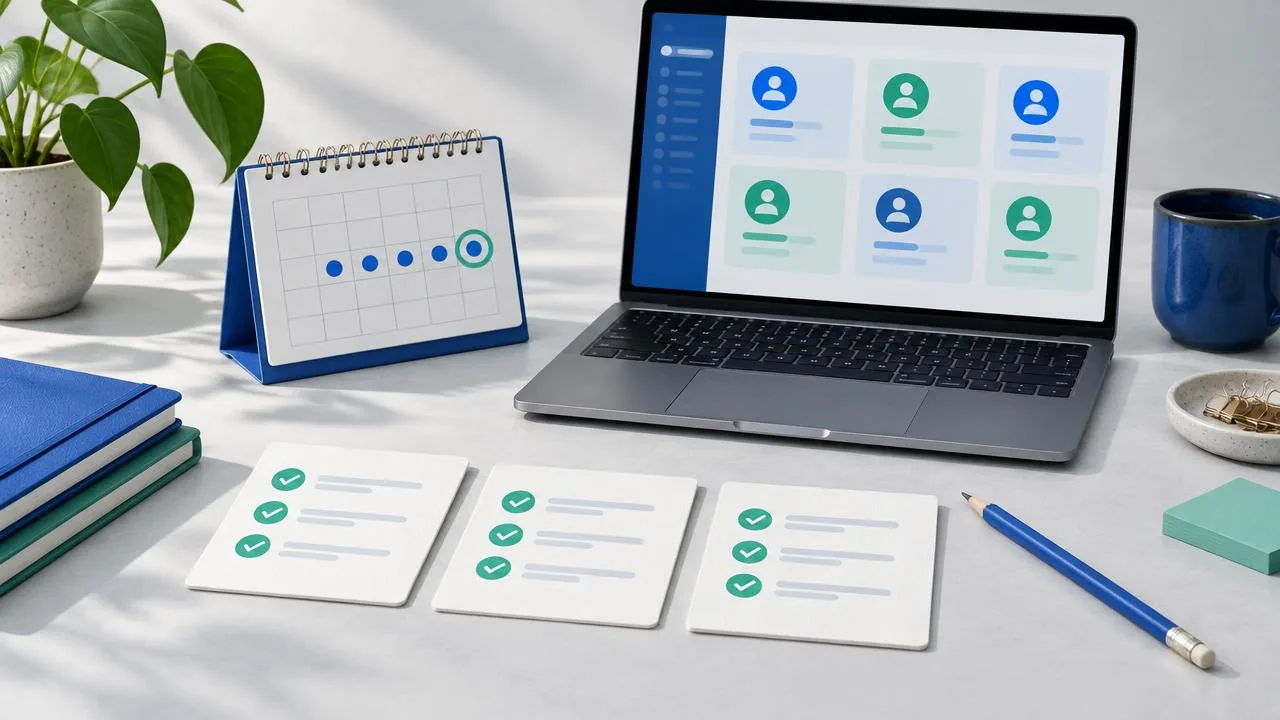
Most small businesses run their pipeline on memory, sticky notes, and a spreadsheet that's three versions out of date. A CRM fixes that. Contrary to popular belief, you can set one up in a weekend without hiring anyone.
You can get a CRM started in a weekend by first consolidating all your contacts into the new system. Then, define the simple stages of your sales pipeline to track deals. Finally, set up automated reminders to ensure you follow up with every lead consistently.
A Customer Relationship Management (CRM) system is a tool that helps businesses manage interactions and relationships with current and potential customers. It provides a central place to store customer data, track interactions, and manage your sales process.
How Do You Import Your Contacts?
Your first step is to bring all your contacts into one central place. This is the foundation of your CRM. Don't aim for perfection; just get the data in. You can clean it up later.
Start by gathering your contacts from everywhere they live. This might include:
- Your email contacts (like Google or Apple Contacts).
- Your phone's address book.
- Spreadsheets you use for tracking leads.
- Your accounting software.
- LinkedIn connections.
Most CRMs offer two primary ways to import this information.
1. Direct Synchronization Many platforms can connect directly to your Google or Microsoft account. This is often the easiest method. With a few clicks, the CRM will sync your contacts automatically. It may also keep them updated as you add new people to your email account. This saves you from manual data entry down the line.
2. CSV File Import A CSV (Comma-Separated Values) file is a universal spreadsheet format. You can export your contacts from almost any tool into a CSV file.
Here is a simple process:
- Open your existing spreadsheet of contacts.
- Save it or export it as a CSV file.
- In your new CRM, look for an "Import" button.
- Upload your CSV file.
- The CRM will ask you to "map" the columns. This means matching your spreadsheet columns (like "First Name" or "Email Address") to the correct fields in the CRM.
Focus on importing essential information first. This includes names, email addresses, phone numbers, and company names. If you know where the lead came from, create a "Source" column. This will help you see which marketing channels work best later on.
How Should You Define Your Sales Pipeline?
A sales pipeline is a visual representation of your sales process. It shows the stages a potential customer moves through on their journey to buying from you. A pipeline turns your messy sales process into a clear, organized workflow.
The key is to keep it simple. Overly complicated pipelines are hard to manage and rarely get used. Start with a few basic stages. You can always add more later as you better understand your process.
Here is a simple, effective pipeline for most small businesses:
- New: A new lead has just entered your world. They might have filled out a form on your website or you just met them at an event. They are brand new and haven't been contacted yet.
- Contacted: You have made the first move. You sent an email, made a phone call, or connected on social media. You are waiting for their response.
- Meeting Set: The conversation is moving forward. You have a call, demo, or in-person meeting scheduled on the calendar. This is a significant step that shows the lead is engaged.
- Proposal Sent: You have officially presented your offer. The lead has a detailed proposal or quote that outlines the scope of work and pricing. Now, the ball is in their court.
- Won / Lost: The deal is closed. "Won" means you have a new customer. "Lost" means they decided not to move forward. Tracking lost deals is just as important. It helps you understand why you lose business so you can improve.
As you move a deal from one stage to the next, your CRM will track it. This gives you an instant overview of your sales health. You can see how many deals are at each stage and where potential bottlenecks are.
Why Is Setting Up Follow-ups So Important?
Most sales are lost due to a lack of follow-up. A lead shows interest, but life gets busy. If you don't follow up, they forget about you, and the opportunity goes cold. A CRM solves this problem by acting as your memory.
The core function here is creating tasks and reminders. For every single active deal in your pipeline, you should have a next step planned. If you don't, that deal is at risk of being forgotten.
Here’s how to put this into practice on Sunday:
- Go through every deal in your pipeline (except for those marked "Won" or "Lost").
- For each one, ask yourself: "What is the next action I need to take?"
- Create a task in your CRM for that action.
For example:
- For a deal in the "New" stage, the task might be "Send introductory email" due today.
- For a deal in the "Contacted" stage, the task could be "Follow up if no reply" due in three days.
- For a deal in the "Proposal Sent" stage, the task might be "Check in on proposal" due in one week.
Modern CRMs make this even easier. Some use AI to help you manage follow-ups. Based on the last interaction, an AI-powered CRM can draft a follow-up email for you. It might suggest polite, relevant text to re-engage a quiet lead. The final decision to send it is still yours, but it removes the friction of writing the email from scratch.
This system of tasks and reminders ensures nothing falls through the cracks. Your CRM will nudge you when it's time to act, helping you build stronger relationships and close more deals.
How Do You Make the CRM a Daily Habit?
A CRM is only valuable if you use it. The final step is to integrate it into your daily routine. This is the most important step of all.
The goal is to make the CRM your single source of truth for all customer and sales activity. Here are a few tips to build the habit:
- Start Your Day in the CRM: Before you check your email, open your CRM. Look at your dashboard and your tasks for the day. This focuses your attention on revenue-generating activities first.
- Update in Real-Time: After you finish a call or a meeting, take 30 seconds to update the deal in your CRM. Add a note, update the stage, or create a new follow-up task. Don't let it pile up until the end of the day.
- Use the Mobile App: Most CRMs have a mobile app. Use it to add notes or update deals while you are on the go.
- Trust the System: As you use it more, you'll learn to trust the pipeline. You'll no longer need to keep everything in your head. This frees up your mental energy to focus on strategy and building relationships.
Within a few weeks, checking your CRM will become second nature. You'll have a clear view of your business, know exactly where every customer relationship stands, and wonder how you ever managed without it.
Key takeaways
- Start by gathering all your contacts into the CRM. Use direct sync or a CSV import.
- Define a simple, 5-stage sales pipeline to track deals visually.
- Create a follow-up task for every active deal to ensure nothing is forgotten.
- Make the CRM a daily habit by checking it first thing and updating it in real-time.
- A well-used CRM becomes the single source of truth for your business.
FAQ
Do I really need a CRM if I'm just a one-person business?
Yes. A CRM is even more critical when you're on your own. It acts as your administrative assistant and sales manager. It helps you stay organized, follow up consistently, and present a professional image to clients. It also builds a system that can grow with you when you eventually hire help.
What's the difference between a CRM and a spreadsheet?
A spreadsheet is a static list of data. A CRM is a dynamic system built for action. While a spreadsheet can store names and numbers, a CRM links that data to activities, emails, tasks, and calendar events. It actively reminds you what to do next and provides a complete history of every relationship, which a spreadsheet cannot do.
How much does a CRM for a small business cost?
Many CRM providers offer free plans specifically for small businesses and solo entrepreneurs. These free tiers are often powerful enough to get you started with contact management, pipeline tracking, and task management. As your business grows, you can move to paid plans that offer more advanced features like automation and deeper analytics.
Related articles
Try Simple CRM AI free
A dedicated AI agent for every client — follow-ups, reminders, and insights handled for you.
Start Free Trial